
A waist fan for golf can make walking the course more comfortable on a hot day without occupying your hands. You can enjoy personal airflow while carrying clubs, checking distances, or waiting for your next shot.
However, a fan that feels comfortable during a walk may get in the way when you rotate your hips or bring your arms through a swing.
The WindBillion WF04 combines upward airflow, an adjustable clip, and direct-contact ice plate cooling. With the right placement, you can use these features during different parts of your round without changing the way you normally play.
Where Should You Wear a Waist Fan for Golf?
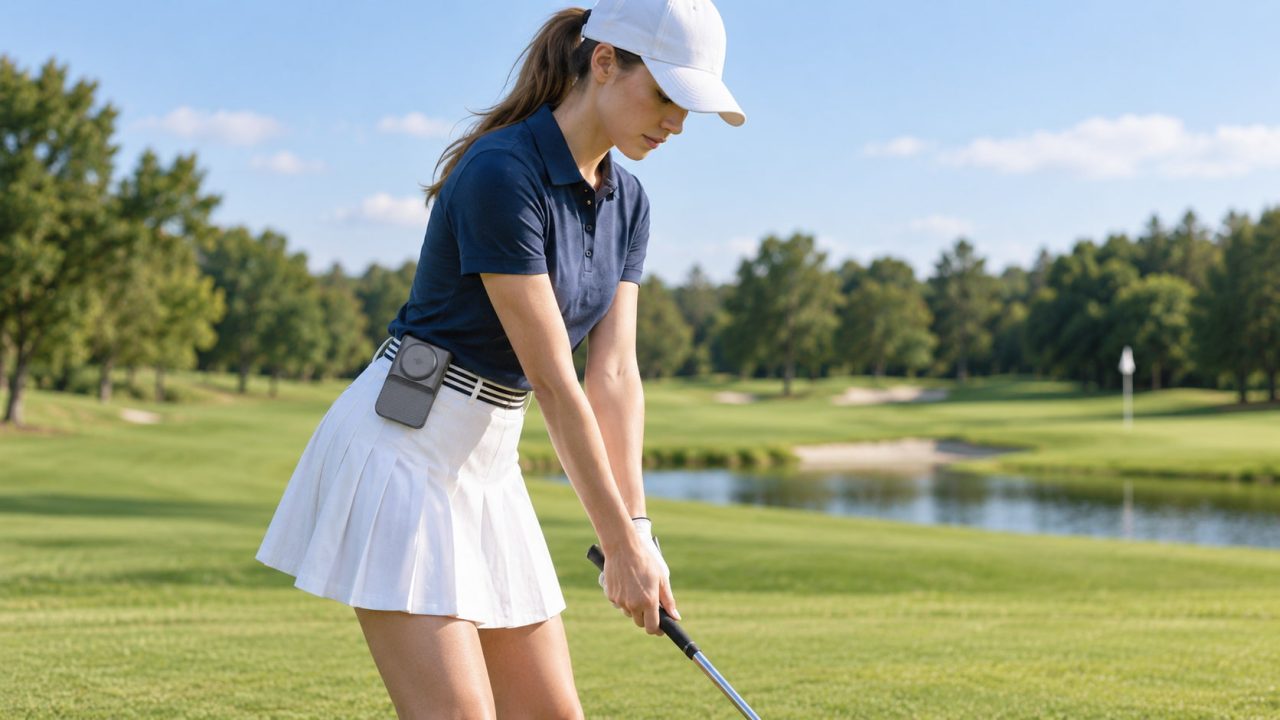
Start by clipping the fan to a secure section of your waistband or belt, preferably away from the area where your arms naturally move during a swing.
The WF04 weighs 202g and measures 120 × 75 × 59.5 mm. Its 360° rotating clip allows you to adjust the airflow direction without repeatedly removing the device.
A position near the side of your waist may be a useful starting point, but it will not suit every golfer.
Your preferred position depends on your clothing, equipment, and whether you play right-handed or left-handed.
Check the Fit Before Your First Shot
Rather than guessing whether the fan will interfere with your swing, test its position before playing.
Start with your normal address position. Bend forward as you would when preparing to hit the ball. Check whether the fan presses against your body or catches your shirt.
Next, make a slow half swing. Pay attention to whether your arm or elbow comes close to the device.
Finally, complete a few normal practice swings and check whether the fan shifts, becomes loose, or restricts your movement.
If anything feels different from your usual swing, move the fan or remove it before hitting the ball.
There is no need to keep it attached during every shot. You can still benefit from hands-free airflow while walking between holes.
Does Your Golf Shirt Block the Airflow?
Golf clothing matters because the WF04 directs air upward.
A loosely fitting polo may allow airflow beneath the fabric, while a tightly tucked shirt can restrict it.
If you prefer keeping your shirt tucked in, adjust the fan’s angle so the outlet remains clear rather than forcing air into tightly fitted clothing.
Also check that a golf towel, rangefinder case, or other waistband accessory is not covering the air intake or outlet.
If the airflow suddenly feels weaker, inspect the placement before increasing the speed.
How to Use the WF04 During an 18-Hole Round
You do not have to use the same fan setting or wearing position throughout your round.
Walking, waiting, swinging, and resting create different opportunities for personal cooling.
Walking the Fairway
For golfers who prefer walking instead of riding in a cart, hands-free airflow can be particularly convenient.
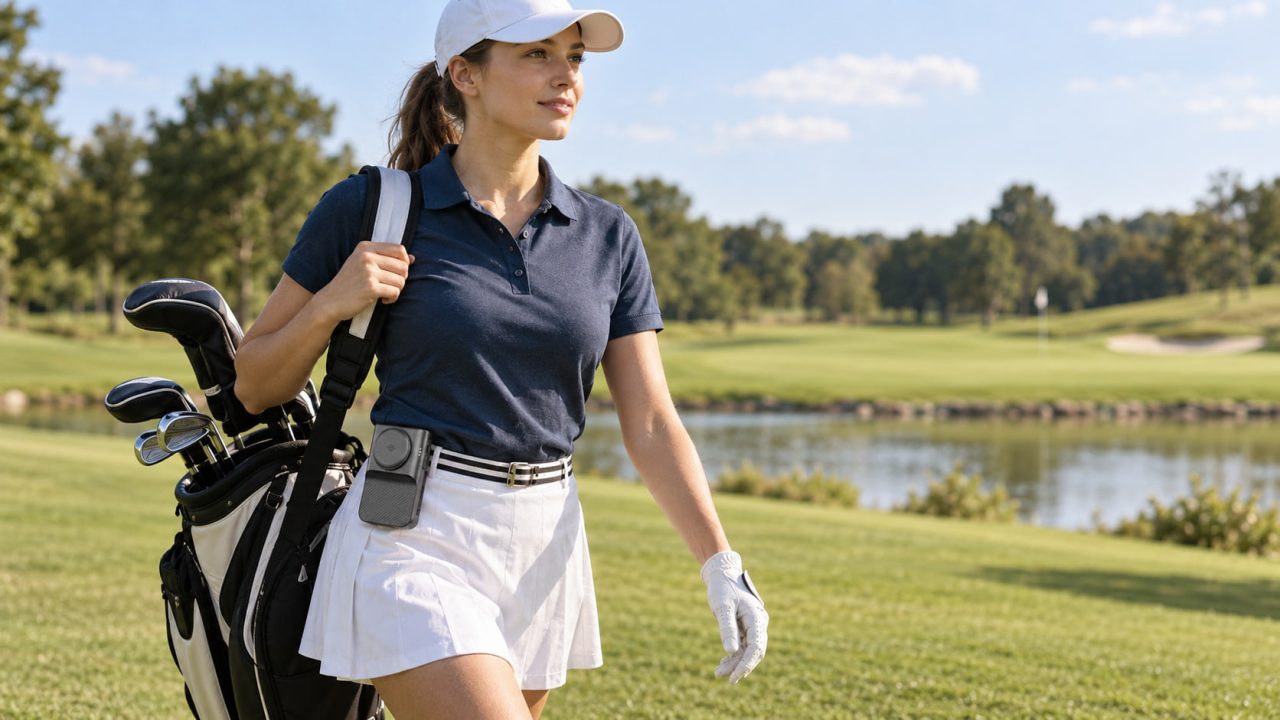
Clip the WF04 securely to your waistband and direct the airflow upward while moving between shots.
Its four adjustable speeds allow you to change the airflow according to the conditions. Lower settings may be sufficient during a relaxed walk, while stronger airflow can be useful when the weather becomes hotter.
If you carry your golf bag, make sure it does not repeatedly knock against the fan as you walk.
The device should remain secure without requiring you to adjust your clothing or equipment constantly.
Waiting Between Shots
Standing near the tee box while other players finish their shots can be a convenient time to use the WF04’s ice plate.
Unlike ordinary fan airflow, the cooling plate provides a localized cooling sensation through direct contact with the skin.
Remove or reposition the device as needed to place the plate comfortably against your body.
The cooling function operates only while the fan is running, uses Speed 1 or Speed 2, and automatically switches off after 10 minutes of continuous use.
This makes it useful for short cooling sessions during a break rather than expecting continuous ice plate operation throughout the round.
Resting Between Holes
If you stop in a shaded seating area, the WF04 offers another way to enjoy airflow without wearing it.
Its rear bracket opens to 90°, allowing the device to stand on a suitable flat surface.
This can be convenient when you want to remove the fan from your waist while resting.
If you are riding in a golf cart, store the device securely while the cart is moving. The fold-out stand is not designed to secure it to a moving vehicle.

Will the WF04 Battery Last Through 18 Holes?
Battery life is worth considering when you expect to spend several hours on the course.
The WF04 has a 5000mAh rechargeable battery and provides up to 34 hours of fan-only operation on the lowest setting.
That maximum runtime does not apply to every speed or to continuous use of the cooling plate.
For golf, think about how you will actually use the fan throughout the round.
You might prefer lower airflow while walking, increase the speed when needed, and use the ice plate during short breaks.
Fully charging the device before leaving for the course is sensible, particularly if you do not expect convenient charging access during the day.
For a closer look at why battery capacity alone cannot predict operating time, read WindBillion’s Portable Fan Battery Life: Why Bigger Isn’t Always Better.
Waist Fan vs Handheld Fan for Golf
Both types of portable fans provide personal airflow, but their convenience changes depending on what you are doing on the course.
| Golf Activity | Waist Fan | Handheld Fan |
|---|---|---|
| Walking with a golf bag | Provides airflow while leaving your hands available | Requires one hand during use |
| Checking yardage or selecting a club | Can remain attached to your clothing | Usually needs to be put away |
| Preparing for a swing | Placement must not interfere with movement | Can be stored before the shot |
| Waiting at the tee box | Provides airflow without being held | Easy to direct toward the face |
| Resting in a golf cart | May be uncomfortable when seated | Can be stored when not in use |
A waist fan offers a convenient way to enjoy airflow while moving between holes, particularly when you prefer walking the course.
A handheld fan may suit golfers who want occasional cooling without wearing anything around their waist.
For those interested in both airflow and localized contact cooling, the WindBillion WF04 Ice Plate Waist Fan combines these functions in a rechargeable wearable device.
What Else Helps You Stay Cool While Golfing?
A waist fan can improve personal comfort, but it should not be your only preparation for a hot day on the course.
Carry sufficient drinking water, wear breathable golf clothing, and take breaks in the shade when possible.
Choosing an earlier tee time may also help you avoid the hottest part of the day.
The CDC recommends drinking water regularly, limiting outdoor activity during extreme heat, and stopping exercise if you feel faint or weak.
For more information, see the CDC’s Heat and Athletes guidance.
Personal airflow is a comfort measure, not a substitute for hydration, rest, or appropriate precautions against heat-related illness.
A waist fan fits most naturally into golf when you use it around the game rather than forcing it into every movement. Let it provide airflow while you walk, use the ice plate during suitable breaks, and remove the device whenever it interferes with your swing.