
How Can a Rechargeable Waist Fan Help Delivery Drivers Stay Cool?
Table of Contents
Delivery work often involves moving between vehicles, restaurants, stores, apartment buildings, and outdoor drop-off points. Drivers and couriers may need to carry orders, check directions, open doors, and communicate with customers, leaving little opportunity to hold a fan.
A Rechargeable Waist Fan provides personal airflow while keeping both hands available. The WindBillion WF01 clips near the waist and offers four airflow levels, allowing users to adjust the breeze as the route, temperature, and activity level change.
Correct positioning is important. The fan should provide useful airflow without interfering with driving, safety equipment, delivery bags, or normal movement. It should also support—not replace—hydration, rest, shade, and other heat-safety measures.
Why Is Hands-Free Airflow Useful During Delivery Work?
A delivery shift rarely takes place in one environment. A driver may wait inside an air-conditioned restaurant, walk several blocks in direct sunlight, sit inside a vehicle, and then climb stairs while carrying an order.
A handheld fan would occupy a hand needed for a phone, food bag, package, keys, or railing. A waist-mounted fan remains attached to the body and follows the user between pickup and delivery locations.
Because the airflow stays close to the wearer, the fan does not need to cool an entire vehicle or outdoor space. Its purpose is to provide direct personal airflow during warmer parts of the route.
How Should You Attach the Waist Fan Before Starting a Route?
Clip position affects comfort, airflow, and safety. Before starting work, test the Rechargeable Waist Fan while walking, bending, sitting, and entering the vehicle.
Choose a Stable Clip Position
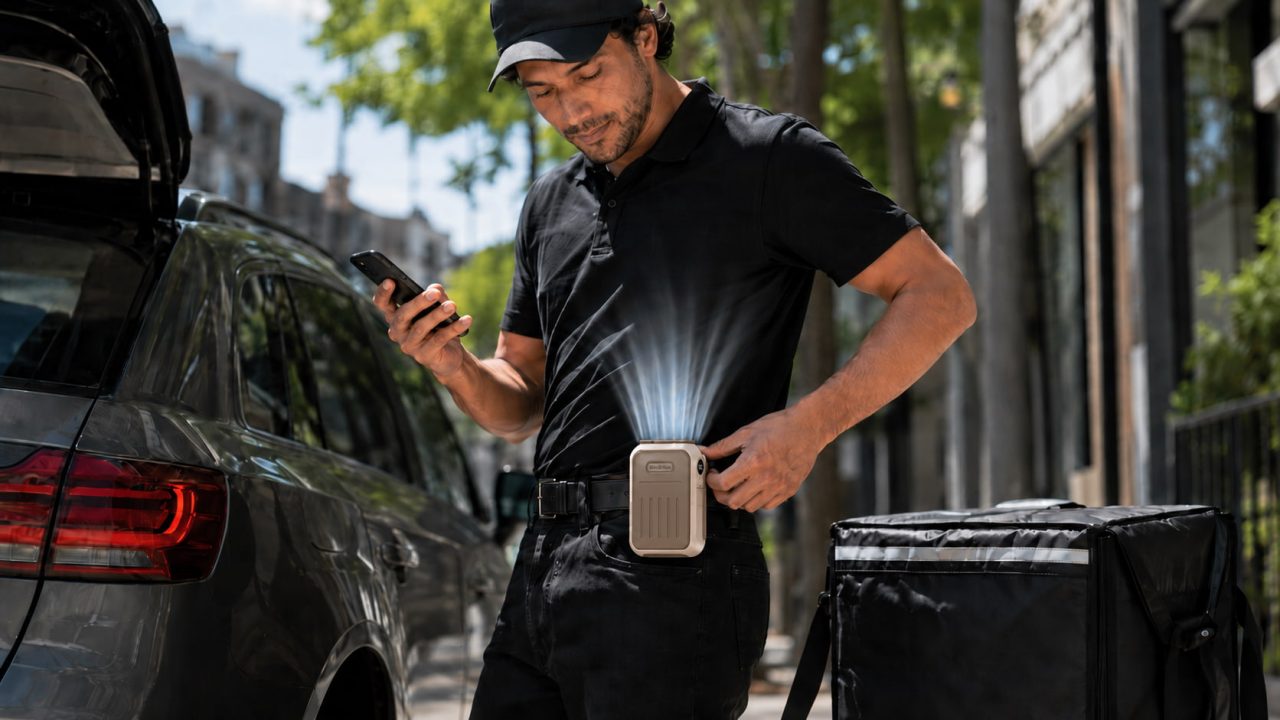
When using the WF01 as a Portable Waist Fan, attach it to a firm waistband, belt, pocket edge, or another stable part of the clothing.
The fan should remain secure instead of swinging, sliding along the waistband, or striking the seat. Avoid positions where a delivery bag, backpack strap, or carried package may repeatedly hit the device.
A stable position is especially important for drivers who frequently enter and leave a vehicle during a route.
Keep the Intake and Outlet Clear
The upper outlet should face beneath the shirt so air can move upward around the body. If fabric presses tightly against the outlet, the airflow may feel weaker even at a higher setting.
The intake also needs access to open air. A wide belt, folded shirt, jacket, delivery bag, or vehicle seat should not press directly against it.
Looser clothing generally gives the air more room to circulate. However, uniforms, reflective clothing, and required protective equipment should always be worn correctly.
Make Sure It Does Not Affect Driving
The fan must not interfere with a seat belt, riding posture, vehicle controls, phone mount, delivery bag, or movement when entering and leaving the vehicle.
Adjust the clip and airflow only when safely parked or stopped. A fan that repeatedly needs repositioning while moving should be relocated before the route continues.
Cyclists and motorbike couriers should also confirm that the device cannot contact moving parts, straps, or other equipment.
How Should You Adjust the Fan During a Delivery Shift?
A delivery route includes periods of waiting, driving, walking, and carrying. The same airflow setting is unlikely to be necessary throughout the entire shift.
Use Lower Speeds While Waiting
Lower airflow may be sufficient while waiting inside a restaurant, resting in a shaded location, or sitting in a parked vehicle.
The fan can also be turned off when the surrounding space is already cool. It does not need to operate continuously simply because the delivery shift is still in progress.
Increase the Speed During Hot Outdoor Sections
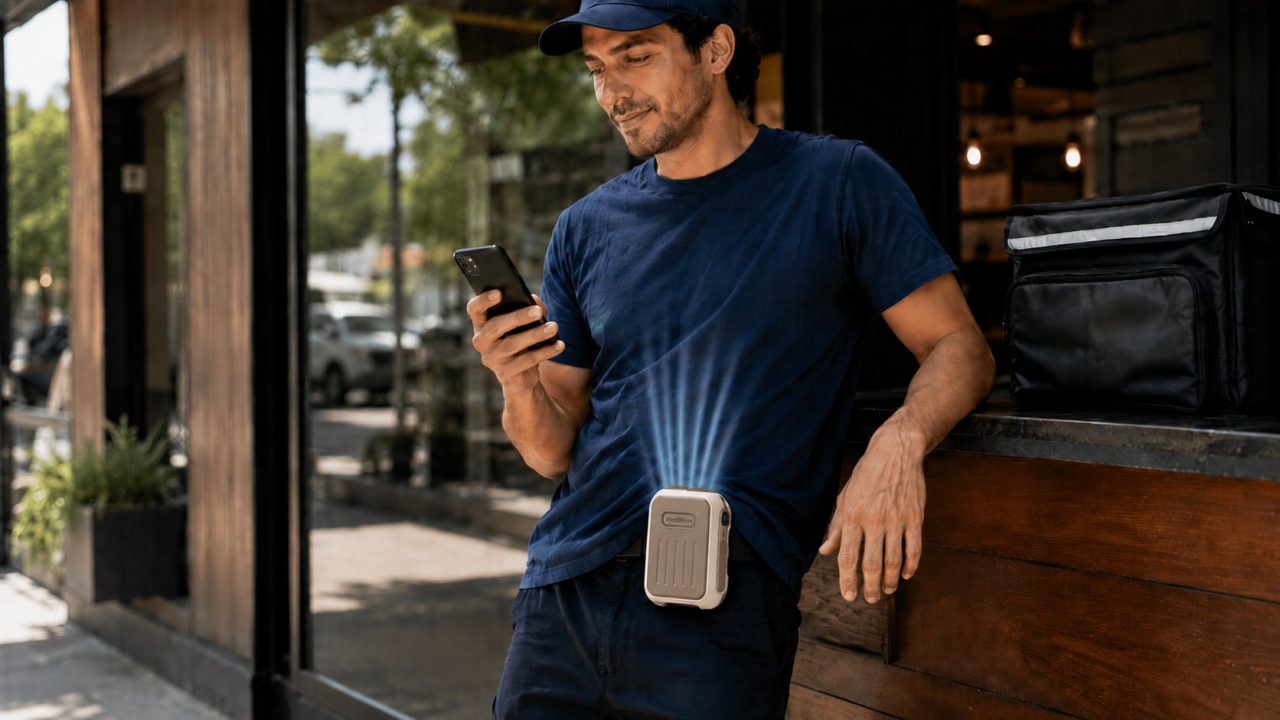
Stronger airflow may be helpful while walking between buildings, climbing stairs, carrying heavier orders, or completing deliveries in direct sunlight.
Once the more demanding section is finished, the speed can be reduced again. This allows the fan setting to follow the actual temperature and activity level instead of keeping it at maximum power all day.
Recheck the Position After Sitting or Driving
Sitting in a vehicle may push the fan against the seat or change the direction of the outlet. A jacket or delivery bag may also move after repeated stops.
Before walking to the next customer, confirm that the intake remains open and the outlet still points beneath the clothing. Correcting the position may improve airflow more effectively than immediately increasing the speed.
How Can Drivers Plan Battery Use for a Full Route?
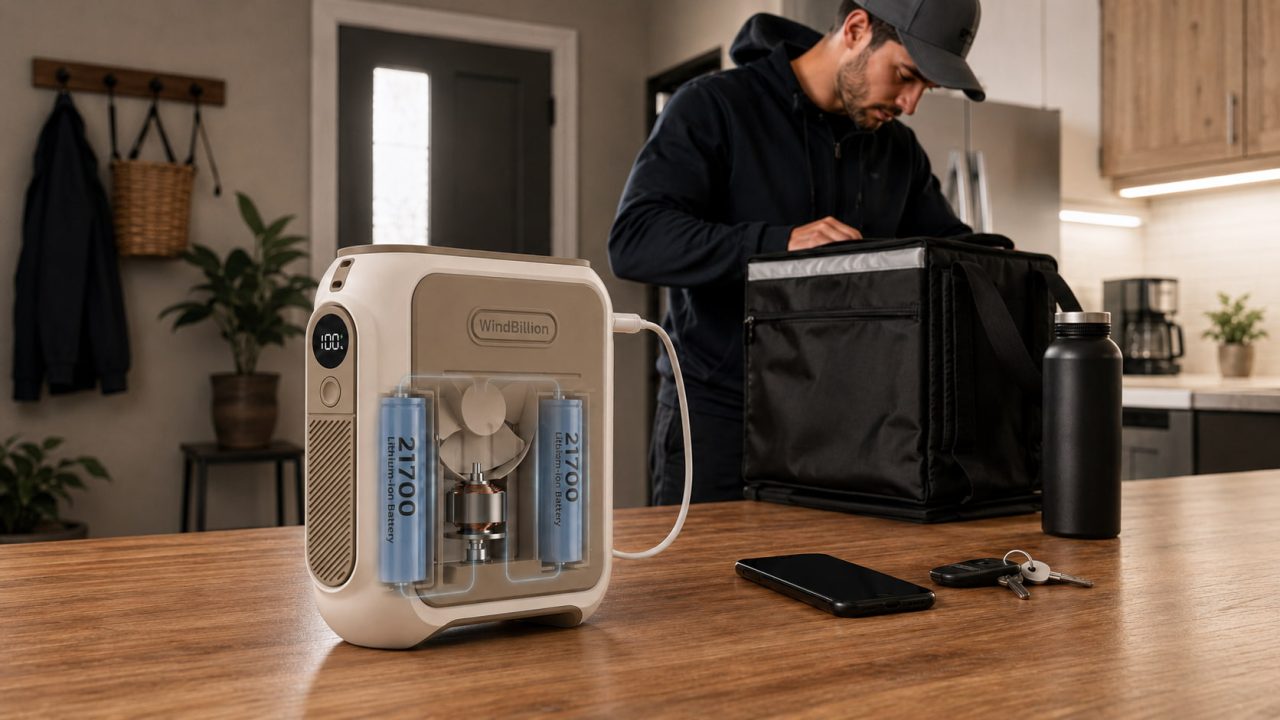
The WF01 has a 9,800mAh rechargeable battery and four airflow speeds. Its reference runtimes are up to 28 hours at Speed 1, 21 hours at Speed 2, 12.5 hours at Speed 3, and 7.5 hours at Speed 4.
The longest runtime applies only to the lowest setting. Battery planning helps a Rechargeable Waist Fan remain useful throughout a longer delivery shift rather than running out during the hottest part of the route.
Match the Battery Plan to the Shift
Check the charge before leaving and consider the expected working time, weather, walking distance, and frequency of outdoor stops.
A longer shift may require more selective use of the higher airflow levels. For a shorter route, the remaining charge may allow stronger airflow to be used more often.
The important point is to plan around the selected settings rather than assuming the fan will always provide 28 hours of operation.
Charge Before a Long Shift
The WF01 uses USB Type-C charging and takes approximately five to six hours to charge fully.
Charging it before work is more reliable than discovering shortly before departure that the battery is low. Avoid wearing the fan with a loose charging cable attached while driving or moving between deliveries.
What Should You Check During Delivery Breaks?
A short break is a convenient time to inspect the fan before beginning the next section of the route.
Check whether the clip has moved, clothing is covering an opening, or the delivery bag is pressing against the device. Also confirm that the remaining battery is likely to last through the rest of the working period.
When using a Waist Fan for Outdoor Work, look for unusual noise, looseness, excessive heat, or visible damage around the charging port.
Keep the fan away from spilled drinks, heavy rain, and other sources of water. Stop using it if the device becomes wet or begins operating abnormally.
When Should You Turn the Fan Off or Remove It?
Remove or reposition the fan whenever it interferes with a seat belt, reflective vest, required protective equipment, delivery bag, or comfortable driving posture.
It should also be turned off before entering a narrow area where it may strike a door frame, railing, shelf, vehicle, or other object.
Stop using the device if it produces an unusual smell, sound, vibration, or level of heat. Safe control of the vehicle and delivery equipment must always take priority over personal airflow.
A Waist Fan Is Only One Part of Hot-Weather Preparation
A personal fan may make a warm shift feel more comfortable, but it should not be treated as protection against heat-related illness.
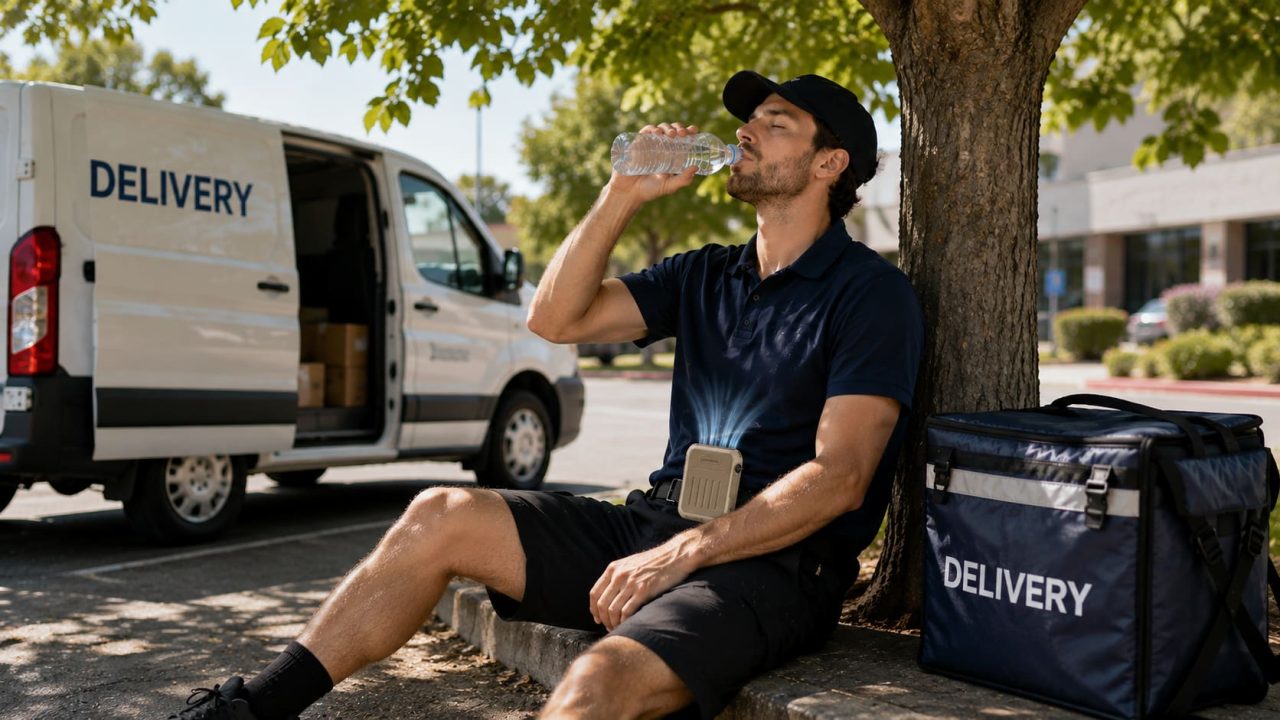
Delivery drivers and couriers still need water, suitable rest periods, shade or air-conditioned spaces, and a workload appropriate for the weather. The CDC and NIOSH provide additional guidance on heat stress and workers.
Anyone experiencing dizziness, confusion, nausea, unusual weakness, or other possible symptoms of heat illness should stop working and seek appropriate help rather than relying on a fan to continue the route.
A Rechargeable Waist Fan Can Support a Long Delivery Route
A Rechargeable Waist Fan can provide convenient hands-free airflow while delivery drivers move between vehicles, pickup locations, and customer addresses.
The best results depend on choosing a stable clip position, keeping the intake and outlet clear, adjusting the speed according to each part of the route, and beginning longer shifts with sufficient battery power.
When used without interfering with driving or safety equipment—and combined with hydration, rest, and appropriate heat precautions—the WindBillion WF01 can make personal airflow easier to manage throughout a busy summer delivery shift.