
You’ve been gaming or streaming for hours under bright lights, sweating as your camera makes you look flat and dull. All that effort, yet your stream still feels off. Many beginners focus on cameras or microphones, but the real difference often comes down to comfort and lighting — something a Quiet Clip-On Fan with LED light can help solve even before you adjust your gear.
Sometimes, a small, smart upgrade is all it takes to transform both your personal experience and your professional appearance on camera.
Why Simplify Your Stream with One Powerful Tool?
Instead of adding multiple bulky devices to your desk, more creators are turning to compact, multi-functional tools that combine essential features into one. A clip-on fan with a built-in LED light is a perfect example. It optimises your workspace by addressing three critical needs simultaneously: active cooling, facial illumination, and space efficiency.
Stay Cool During Long Sessions with Targeted Airflow
Long streaming sessions can quickly become uncomfortable, especially under professional lighting or in enclosed rooms. Instead of relying on room cooling alone, a clip-on fan allows you to create targeted airflow exactly where you need it.
The versatile design allows you to attach it to:
-
The edge of your desk
-
Your monitor top
-
Your microphone stand
With a strong grip clip fan, you don’t have to worry about stability. A gentle breeze directed toward your face or hands helps you prevent sweating during intense gameplay and reduce fatigue over time, significantly improving your focus and overall performance.
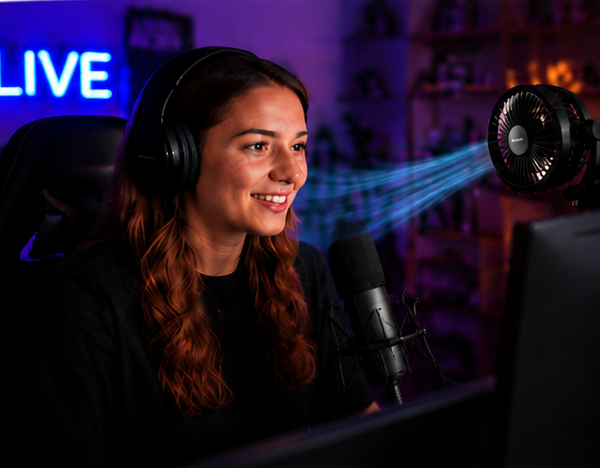
Keep Your Gear Running Smoothly and Prevent Overheating
Streaming setups generate significant heat — especially your PC, capture card, or audio interface. Overheating leads to lag, frame drops, or unstable system performance. A clip-on fan acts as a simple yet effective cooling assistant. By adjusting its 360° rotation to blow air toward your PC’s intake vents or external devices like capture cards, you create better airflow and help your equipment stay within optimal temperature ranges.
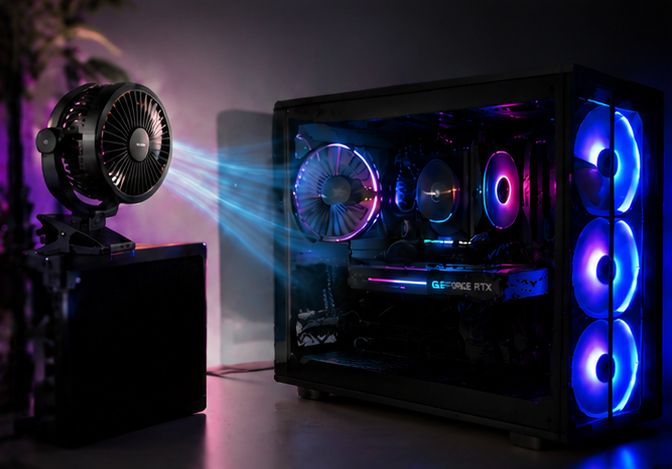
Upgrade Your Stream Look with Integrated LED Lighting
A streaming setup isn’t just about performance; it’s about presentation. When your fan includes integrated LED lights, you’re not just cooling down — you’re upgrading your visual production.
The built-in LED lighting helps you:
-
Sharpen Facial Contours: Diffused light prevents you from looking washed-out or flat under harsh room lights.
-
Eliminate Shadows: Soft illumination fills in dark areas created by overhead lamps.
-
Improve Camera Clarity: Proper lighting reduces digital “noise” in your camera feed, making you look professional even in dim rooms.
Why Modern Streamers are Switching?
Before investing in expensive dedicated lighting rigs, see how a multi-functional tool streamlines your environment compared to a traditional, fragmented setup.
| Feature | Traditional Setup (Stand Fan + Dedicated Key Light) | WindBillion LED Clip-On Fan Solution |
| Desk Real Estate | Bulky bases and multiple stands consume valuable workspace. | Zero-Footprint Design. Attaches securely via a high-tension clamp. |
| Cable Management | Tangled mess of power cords from multiple devices. | Single-Cable Efficiency. One connection powers both cooling and lighting. |
| Acoustic Profile | Large blades often create low-frequency hums picked up by mics. | Precision Quiet Motor. Engineered for high airflow with minimal decibel output. |
| Light Quality | Fixed position lamps often create harsh, static shadows. | 360° Dynamic Fill Light. Adjustable illumination to sharpen contours as you move. |
| Versatility | Difficult to reposition for mobile or casual setups. | Multi-Scene Adaptability. Ideal for desks, bedsides, or small studio corners. |
Improve Audio Quality Without Adding Noise
One concern with using any fan is noise — especially during live streaming.
That’s why choosing a quiet clip fan matters.
To maintain clean audio:
- Avoid pointing airflow directly at your microphone
- Use lower speed settings when possible
- Position the fan slightly off-axis
You can also use a noise gate in streaming software like OBS Studio to reduce background sound further.
With the right setup, you can stay cool without compromising your audio quality.
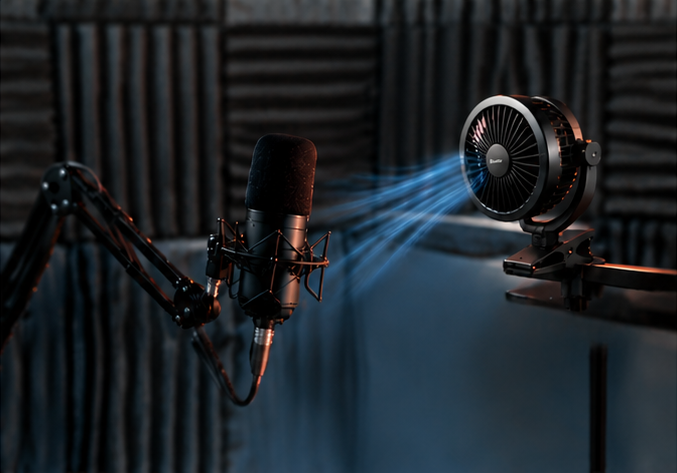
What Makes a Good Clip-On Fan for Streaming?
To get the best performance, look for these essential technical features:
-
Strong Clamp Design: A sturdy, non-slip clamp keeps your fan securely attached to vibrating microphone arms or thin monitor edges.
-
360° Rotation: Full rotational flexibility lets you aim airflow precisely at your face or equipment hotspots.
-
USB or Rechargeable Power: USB-powered designs offer true portability and eliminate the need for limited wall outlets.
Experience Comfortable Live Streaming
Upgrading your streaming setup doesn’t always require expensive gear. Sometimes, the biggest improvements come from optimising your environment. A clip-on fan may seem simple, but when it helps you stay cool, improves your lighting, and protects your hardware, it becomes an essential tool.
If you’re building a setup in a limited space or on a budget, choose a solution that works as hard as you do. Check out the WindBillion Clip-On Fan series and see the difference in your next stream.