You clipped the waist fan on, stepped outside, and expected to feel the difference. An hour later, you are still hot, the fan is still running, and you are wondering whether you wasted your money.
Before assuming the fan is broken or underpowered, it is worth knowing that waist fan cooling depends on a few specific conditions — and most cases of a waist fan not cooling properly come down to setup, not the product itself. Here are the five most common reasons, and exactly how to fix each one.
What a Waist Fan Actually Does to Your Body?
A waist fan does not lower the temperature of the air around you. What it does is accelerate the evaporation of sweat from your skin. When sweat evaporates, it pulls heat away from the body — and moving air speeds that process up significantly.
This means a waist fan works best when there is sweat to evaporate. In dry heat, it is highly effective. In extreme humidity where sweat cannot evaporate efficiently, its cooling effect is reduced. Understanding this mechanism is what makes the difference between using the fan correctly and being disappointed by it.

Five Reasons Your Clip on Waist Fan Is Not Cooling You Down
The causes are almost always fixable. Here is what to check first.
Reason 1 — You Are Running It on Too Low a Speed
The most common reason a waist fan feels ineffective is that the speed setting is too low for the conditions. Speed 1 produces a gentle breeze suited to mild temperatures and indoor use. In serious outdoor heat, speed 1 is not enough — you need speed 3 or 4 to generate the airflow that actually accelerates evaporation at a meaningful rate.
The WindBillion WF01 reaches 17,800 RPM and 8.1 m/s on its highest setting. That is a completely different experience from the lowest setting. If you have been using the fan on speed 1 or 2 in summer heat, try speed 3 or 4 and give it five minutes. The difference is immediate.
Reason 2 — The Fan Is Clipped in the Wrong Position
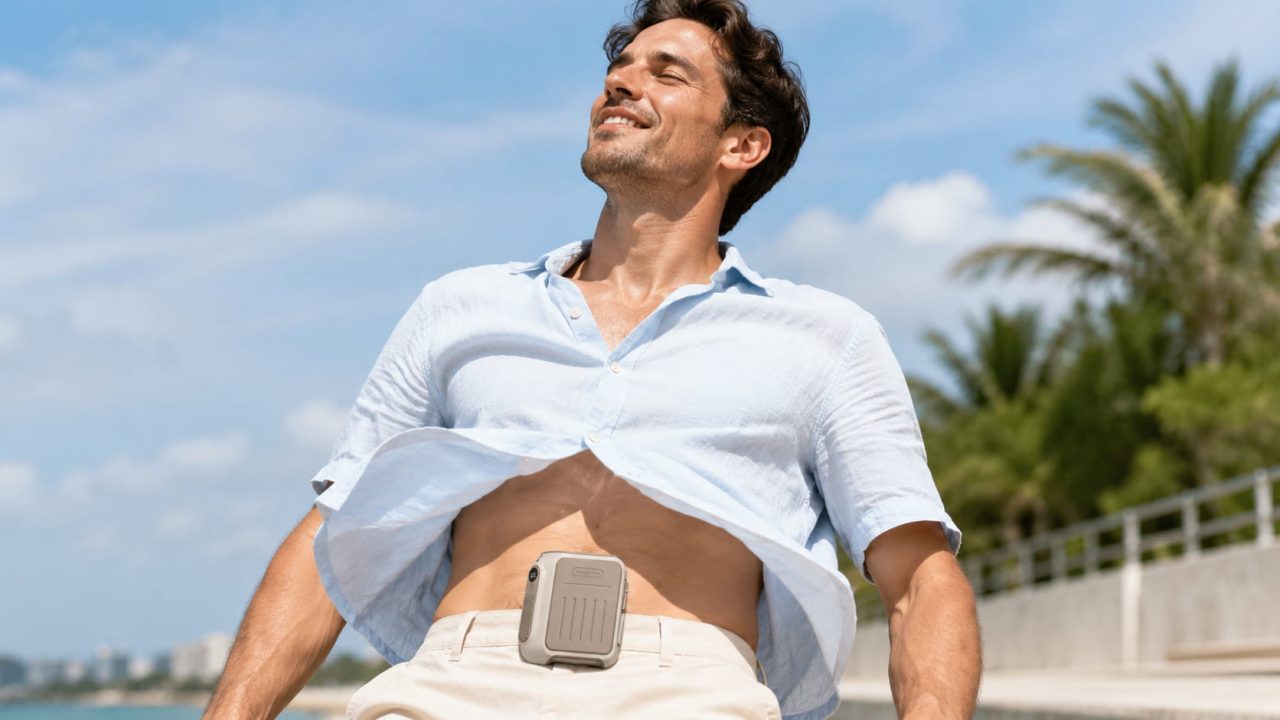
Where you clip the fan matters more than most people expect. The fan is designed to sit at waist level and direct airflow upward along the torso toward the face and chest — the areas where the body’s heat sensors are most concentrated.
If the fan is clipped too low, the airflow disperses before it reaches where you feel it most. If it is pressed flat against thick clothing or a belt bag, the intake is partially blocked. The right position for any clip on waist fan is centred on the waistband with the vents facing forward and upward, with nothing obstructing the front of the unit.
Reason 3 — The Air Around You Is Already Too Hot
Above a certain ambient temperature, moving air helps less. When the air temperature approaches or exceeds body temperature, circulating that air provides less evaporative benefit — the air itself is too warm to carry heat away efficiently.
This is not a product failure. It is physics. In extreme heat above 40°C, a waist fan reduces discomfort but cannot replicate the effect of air conditioning. For temperatures in the range of 20–35°C, the cooling effect is strong and immediate. Setting realistic expectations based on ambient conditions makes a real difference in how you evaluate the fan’s performance.
Reason 4 — High Humidity Is Reducing the Cooling Effect
Evaporative cooling depends on sweat being able to evaporate. In high humidity, the air is already saturated with moisture, which slows evaporation significantly. A waist fan still increases airflow and reduces the sensation of heat, but the core cooling mechanism is less effective than in dry conditions.
If you are in a humid environment and the fan feels like it is not doing enough, combining it with a wet cloth or misting helps significantly. The additional moisture on the skin evaporates faster than sweat alone, and the fan accelerates that process.
Reason 5 — The Battery Is Running Low
When a rechargeable waist fan‘s battery drops below 20–30%, the motor output often reduces to protect the battery. The fan appears to be running, but the airflow is weaker than at full charge. If you have been running the fan for several hours and it has started to feel less effective, the battery level is the first thing to check.
The WF01’s 9800mAh battery runs 7.5 hours at full speed and 28 hours at the lowest setting. If you are running speed 3 or 4 regularly, charge it every one to two days to avoid the reduced-output effect of a low battery.
How to Get More From Your Rechargeable Waist Fan Before Writing It Off?
A few adjustments make a significant difference in how effective any wearable cooling fan feels in real conditions. The WF01 is a hands-free cooling fan — but getting the most from it means using it the right way.
Use It Before You Overheat, Not After
A waist fan is most effective when it is working with your body’s cooling system, not trying to reverse damage already done. If you wait until you feel genuinely hot and uncomfortable before switching it on, the fan is starting from a disadvantaged position. Put it on before going out into the heat, and let it maintain a comfortable temperature throughout the activity rather than trying to recover from overheating.
Combine It with Light, Breathable Clothing
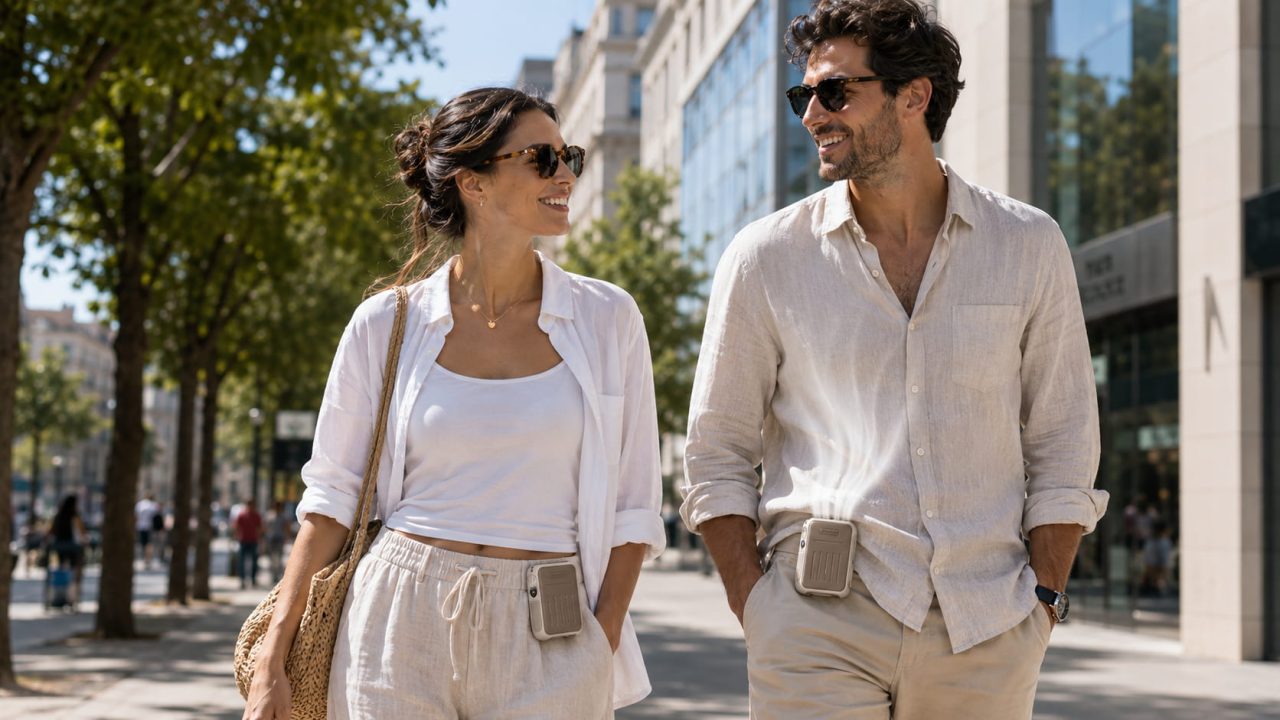
The fan draws air in from below the waistband and pushes it upward. Tight, heavy, or synthetic clothing traps heat against the skin and blocks airflow from reaching it. Loose, breathable fabric — cotton or linen — allows the fan’s airflow to move against the skin directly, which is where the evaporative cooling actually happens. The difference in perceived cooling between wearing the same fan with appropriate versus inappropriate clothing is substantial.
Use a Higher Speed Earlier in the Day
Most people reach for the highest speed setting when they already feel overheated. By that point, the body is already struggling to regulate temperature, and the fan is working against a deficit.
A more effective approach is to run speed 3 or 4 in the late morning before peak heat arrives — around 10 a.m. to noon — rather than waiting until the afternoon when temperatures are at their worst. Keeping the body cool proactively requires less effort from both the fan and your body’s cooling system than recovering from heat that has already built up. The WF01’s battery handles this easily: speed 3 runs for 12.5 hours, which covers the full heat window of a summer day on a single charge.
What does the WindBillion WF01 Delivers When Set Up Right?
At 17,800 RPM and 8.1 m/s on speed 4, the WF01 is not a weak fan. At 300g and 105×93×47mm, it sits comfortably on the waist without pulling at the waistband during movement. The 9800mAh battery means battery depletion is rarely the cause of reduced performance for most users.
The four speeds are genuinely distinct. Speed 1 at 28 hours of runtime suits commuting and indoor use. Speed 4 at 7.5 hours is built for outdoor work, hiking, and high-heat activity where strong airflow matters more than extended battery life. Running the wrong speed for the conditions is the most common reason users feel the fan is not working — and the easiest fix.
The Problem Is Usually the Setup, Not the Fan
A waist fan that is not cooling effectively is rarely a hardware failure. It is usually speed setting, clip position, ambient conditions, or battery level — all of which are immediately adjustable.
Run it on speed 3 or 4 in serious heat. Clip it centred on the waistband with clear intake. Put it on before you overheat. Wear breathable clothing. Keep it charged. Do those things and the WindBillion WF01 performs exactly as it is designed to — keeping you noticeably cooler through outdoor work, commuting, hiking, and anything else summer demands.
FAQ
Q: Why does my waist fan feel weak after a few hours?
Battery level drops reduce motor output. If the WF01 has been running on speed 3 or 4 for several hours, check the charge level. The 9800mAh battery lasts 7.5 hours at maximum speed — charge it regularly to maintain full output.
Q: Does a waist fan work in high humidity?
Yes, but with reduced effectiveness. Evaporative cooling depends on sweat evaporating, which slows in humid conditions. Using the fan on a higher speed and combining it with light, breathable clothing helps compensate.
Q: What speed should I use in serious outdoor heat?
Speed 3 or 4. Speeds 1 and 2 are designed for mild temperatures and extended runtime. In outdoor heat above 30°C, the higher speeds generate the airflow needed to make a real difference.
Q: Can I wear the WindBillion WF01 all day?
Yes. At 300g and with up to 28 hours of runtime at speed 1, it is built for all-day wear. For higher-speed outdoor use, charge it overnight before a full day of activity.